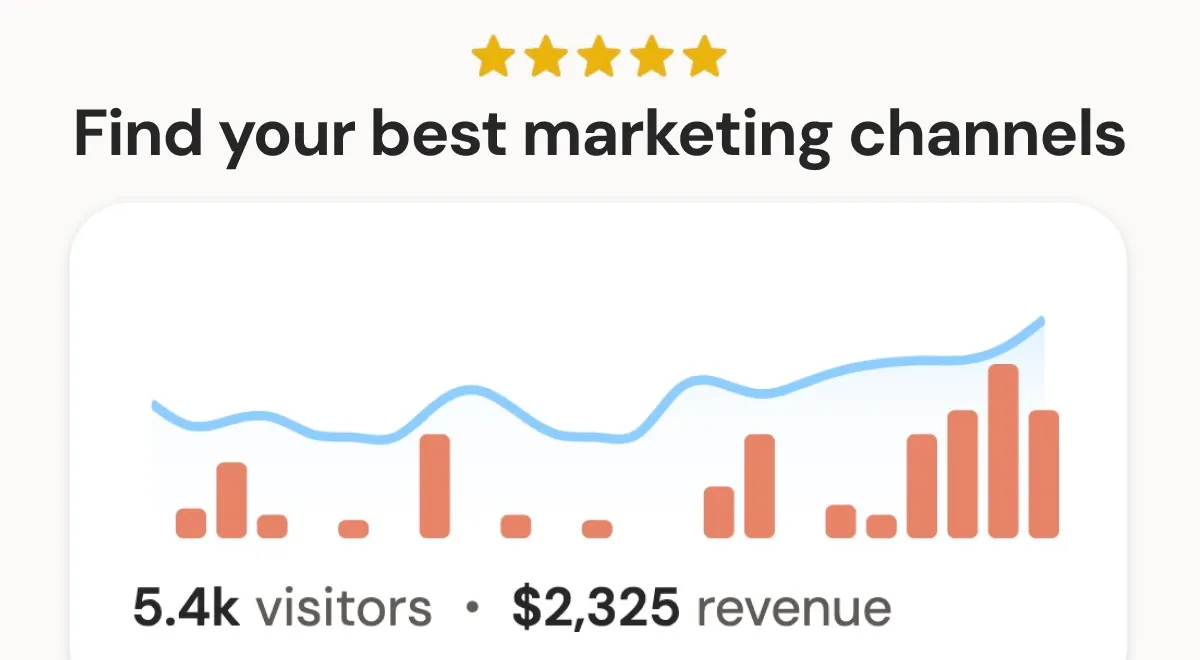
DataFast enters the web analytics arena with a pointed thesis: most analytics tools measure activity, not outcomes. While Google Analytics floods users with pageviews, bounce rates, and session durations, founders are left asking a far more fundamental question—where is the revenue actually coming from? DataFast answers that question directly by connecting to payment processors like Stripe, LemonSqueezy, Polar, and Shopify, then attributing every dollar of revenue back to the marketing channel that generated it. This revenue-first approach positions the platform as a practical alternative for entrepreneurs who view analytics as a means to an end rather than an end in itself.
The platform targets a specific and growing segment: solo founders, indie hackers, and small marketing teams who lack the resources to hire data analysts or build complex attribution pipelines. For these users, traditional analytics tools present a paradox—they offer immense power but demand significant expertise to extract actionable insights. DataFast strips away the complexity, presenting a dashboard that prioritizes metrics like Revenue per Visitor and top-performing channels by actual dollars generated. The competitive landscape includes privacy-focused tools like Plausible and Fathom, which offer simplicity but stop short of revenue attribution, and full-featured platforms like Mixpanel or Amplitude, which require substantial setup and technical knowledge. DataFast carves out a middle ground: the simplicity of lightweight analytics with the strategic depth of revenue intelligence. With over 20,000 users and backing from Marc Lou, a prolific maker in the indie hacker community, the platform has established credibility in the startup ecosystem. This review examines whether DataFast delivers on its promise of making revenue attribution accessible to every website owner.
Key Features
Revenue Attribution: The cornerstone feature that differentiates DataFast from nearly every lightweight analytics competitor. Users connect their payment processor—Stripe, LemonSqueezy, Polar, or Shopify—through a secure authorization flow in the dashboard settings. Once connected, DataFast automatically maps every transaction back to the traffic source that drove the customer, tracking the full journey from first click to purchase. The dashboard then displays revenue broken down by channel, campaign, and even individual landing pages. This goes beyond last-click attribution by considering the entire customer path, giving users visibility into which touchpoints contribute to conversions. For a founder allocating a limited marketing budget, this feature transforms analytics from a reporting exercise into a strategic decision-making tool.
How It Works
The onboarding process begins on the DataFast homepage, where users enter their website URL and are directed to a sign-up page. Account creation requires only an email and password, and the 14-day free trial starts immediately without requiring a credit card. After signing up, users are guided through the installation process, which varies by platform. For WordPress or Shopify, this involves installing a plugin and activating it. For custom sites, users add a small JavaScript snippet to the site's HTML, typically in the head section. The documentation provides step-by-step instructions for each supported platform, and most installations take under a minute.
Once the tracking script is active, the next step is connecting revenue data. Users navigate to the settings section and select their payment processor from the available options. The connection uses OAuth or API keys, depending on the processor, and requires authorizing DataFast to read transaction data. After this connection is established, DataFast begins attributing revenue to traffic sources automatically. The system processes historical data as well, so users can see revenue attribution for transactions that occurred before the integration was set up.
The daily workflow centers on the main dashboard, which displays key metrics at a glance: total revenue, top channels, conversion rates, and Revenue per Visitor. Users can drill down into specific channels to see which campaigns or content pieces are driving results. Setting up goals and funnels takes a few minutes through the dashboard's goal configuration interface, where users define the URL or event that constitutes a conversion. The live visitor view provides a real-time feed of active visitors, with behavioral indicators that help identify high-intent users. For users who want to automate reporting or integrate DataFast data into other tools, the API and CLI provide programmatic access. The AI agent integration allows users to query data conversationally, making it possible to get answers without navigating the dashboard at all.
Use Cases
A solo SaaS founder bootstrapping a B2B product: This founder needs to know whether their Twitter presence, SEO content, or paid ads are actually driving trial signups and paid conversions. By connecting Stripe to DataFast, they can see revenue per channel and make informed decisions about where to invest their limited time and budget. The founder can set up a funnel tracking the path from landing page to trial signup to paid conversion, identifying where prospects drop off and optimizing those pages accordingly.
Pros
Tracks revenue attribution down to individual marketing channels, showing which campaigns produce paying customers rather than just clicks or pageviews.
Automatically filters out bot traffic and non-converting sessions, so metrics reflect only user behavior that leads to actual purchases.
Integrates directly with Stripe and Shopify to pull transaction data, enabling real-time revenue-per-channel dashboards without manual CSV uploads.
Offers a channel comparison view that calculates return on ad spend (ROAS) for each source, including paid, organic, and referral traffic.
Provides a daily digest email summarizing revenue by channel, allowing marketers to spot underperforming campaigns without logging into the dashboard.
Cons
Requires a paid subscription starting at $49/month, with no free tier or trial period for testing the full feature set.
Only supports e-commerce platforms (Stripe, Shopify, WooCommerce) for revenue tracking, leaving service-based businesses or subscription-only models without accurate attribution.
Lacks a mobile app, so users must rely on the web dashboard or email digests to monitor channel performance on the go.
Alternative.tools
Alternative.tools review team
We are the editorial team behind Alternative.tools, an independent platform for unbiased reviews of newly launched websites, tools, and products. We test tools hands-on, track pricing and features as they change, and publish practical comparisons and how-to playbooks so you can choose the right tool faster, without the marketing spin.
Web Analytics with Revenue Context: DataFast provides standard metrics—pageviews, unique visitors, bounce rate—but frames them within a revenue-focused context. The dashboard prominently displays Revenue per Visitor, a metric that quantifies the monetary value of traffic. This reframing helps users understand that 10,000 visitors from one channel might be worth less than 500 visitors from another if the latter converts at a higher rate. The platform also includes AI bot traffic detection, which filters out non-human traffic to ensure data accuracy. This is particularly valuable for sites that experience bot traffic from scrapers, crawlers, or automated tools, which can skew analytics and lead to misguided marketing decisions.
Goals, Funnels, and Journeys: Users can define custom goals—such as newsletter signups, demo requests, or free trial registrations—and build funnels that visualize the steps visitors take before converting. The funnel view highlights where users drop off, enabling targeted optimization of underperforming pages. Journey tracking goes a step further, showing the complete path a visitor takes from their first interaction with the site to becoming a paying customer. This feature is especially useful for content-heavy sites where users may visit multiple times across different channels before converting. Understanding these multi-touch journeys helps users create content and campaigns that nurture visitors effectively through the consideration phase.
Live Visitor Intelligence: The real-time visitor dashboard shows who is on the site at any given moment, with behavioral signals that indicate purchase intent. DataFast identifies visitors who are likely to buy based on their browsing patterns—such as visiting pricing pages, reading case studies, or spending significant time on product pages. The platform provides an API that allows users to act on this information instantly, whether through automated chat messages, targeted offers, or manual outreach by sales teams. For a solo founder, this feature can feel like having a virtual sales assistant that flags high-intent visitors for immediate engagement.
AI Agent Integration via MCP: DataFast supports querying analytics through natural language using AI agents connected via Model Context Protocol (MCP), CLI, or API. Users can connect tools like Cursor, Claude Code, or Codex and ask questions such as "Which countries generated the most revenue this month?" or "What was the conversion rate for visitors from Twitter last week?" The AI agent translates these queries into structured data requests and returns human-readable answers. This feature democratizes data analysis, allowing non-technical users to extract insights without learning query languages or navigating complex report builders. It also enables automated workflows where AI agents can pull analytics data as part of larger operational processes.
Comprehensive Integrations: DataFast supports both code and no-code installation methods. Developers can use npm packages and setup guides for Next.js, React, Vue, Django, Laravel, and other frameworks, with installation typically requiring just a few lines of code. Non-technical users can install plugins for WordPress, Shopify, Webflow, Framer, Bubble, Wix, Squarespace, and Google Tag Manager. This breadth ensures that virtually any website can implement DataFast without requiring custom development work. The platform also supports multi-website tracking, allowing users to monitor multiple properties from a single dashboard—a feature that benefits agencies and businesses with multiple brands or product lines.
Privacy and GDPR Compliance: DataFast offers both cookie-based and cookieless tracking scripts. The cookie-based script provides accurate visitor identification and session tracking, while the cookieless option minimizes privacy footprint for users concerned about compliance or audience expectations. Both options are GDPR compliant, and the platform does not sell user data or use it for advertising purposes. This flexibility allows website owners to choose the tracking approach that aligns with their legal requirements and their audience's privacy preferences, without sacrificing the core revenue attribution functionality.
An e-commerce store owner running influencer campaigns: A Shopify store owner collaborates with multiple influencers and needs to determine which partnerships generate actual sales rather than just engagement. DataFast's revenue attribution shows exactly which influencer traffic converts to purchases and the average order value per source. This data enables the owner to negotiate future partnerships based on proven ROI and discontinue relationships that don't drive revenue.
A content creator monetizing a paid newsletter: A blogger who charges for premium content needs to understand which articles and distribution channels drive paid subscriptions. By setting up a goal for newsletter signups and connecting their payment processor, they can see which content topics and promotion channels generate the most revenue. This insight guides their content strategy, helping them produce more of what converts readers into paying subscribers.
A small marketing team managing multi-channel campaigns: A startup marketing team running campaigns across Google Ads, LinkedIn, and organic social can use DataFast to compare revenue generation across channels in real time. The team can set up campaign-level tracking to see which specific ads or posts drive purchases, then reallocate budget toward the highest-performing campaigns. The live visitor intelligence feature allows the sales team to engage with high-intent visitors while they're still on the site, potentially increasing conversion rates.
A digital agency reporting to multiple clients: An agency managing websites for several clients can use DataFast's multi-website support to provide each client with clear revenue attribution reports. Instead of presenting vanity metrics like pageviews, the agency can show which marketing efforts generated actual revenue, demonstrating the value of their services and building stronger client relationships through transparent, outcome-focused reporting.
Design & User Experience
DataFast presents a clean, modern interface that prioritizes clarity over density. The dashboard uses a card-based layout with key metrics displayed prominently, allowing users to grasp performance at a glance without wading through cluttered tables. The color scheme is muted and professional, with accent colors used sparingly to highlight important data points. Navigation follows a logical structure with clear sections for analytics, revenue, goals, and integrations, making it easy for new users to find their way around.
The learning curve is notably shallow compared to traditional analytics platforms. Users familiar with basic analytics concepts can understand the dashboard within minutes, and the revenue-focused metrics are self-explanatory—seeing "Revenue by Channel" requires no interpretation. The demo dashboard is a thoughtful addition, allowing prospective users to explore the interface before committing to installation. The documentation is well-organized and covers all major integrations with clear instructions.
One minor criticism is that the dashboard could benefit from more customization options for users who want to rearrange or hide certain widgets. Additionally, while the mobile experience is functional, the desktop interface is clearly the primary design target, and some data tables can feel cramped on smaller screens. These are minor issues that don't detract significantly from the overall user experience, which remains intuitive and efficient.
Pricing & Value
DataFast offers two pricing tiers, both with a 14-day free trial that requires no credit card. The Starter plan at $9 per month includes up to 10,000 monthly events, one website, one team member, and three years of data retention. It provides access to core features including AI bot traffic detection, API/CLI/MCP access, and social media mentions. This plan suits solo founders and small sites with modest traffic volumes.
The Growth plan at $19 per month scales to 10,000 monthly events with the ability to increase capacity up to 10 million events, and includes 30 websites, 30 team members, and five-plus years of data retention. It adds social media mentions and X (Twitter) link attribution, making it suitable for agencies, growing startups, and businesses with multiple properties. The price difference between tiers is modest, making the Growth plan an easy upgrade for users who outgrow the Starter limitations.
Compared to alternatives, DataFast's pricing is competitive. Plausible starts at $9 per month but lacks revenue attribution. Google Analytics is free but requires significant setup and expertise to extract revenue insights. Fathom offers simplicity at a similar price point but doesn't connect to payment processors. For users who need revenue attribution, DataFast's pricing represents strong value, particularly considering the potential ROI from optimizing marketing spend based on accurate revenue data.
Who Is DataFast Best For?
DataFast is best suited for solo founders and indie hackers who are actively growing a product and need to make every marketing dollar count. These users typically lack dedicated analytics resources and need a tool that provides immediate, actionable insights without a steep learning curve. The revenue attribution feature is particularly valuable for this group, as it directly answers the question of which channels are worth continued investment.
Small marketing teams at startups with fewer than 50 employees will also benefit significantly. These teams often juggle multiple channels and campaigns with limited headcount, and DataFast's consolidated view of revenue by channel helps them prioritize efforts effectively. The live visitor intelligence feature provides a competitive advantage for teams that can act quickly on real-time data.
Digital agencies managing multiple client accounts will find the multi-website support and clear revenue reporting valuable for demonstrating ROI to clients. The Growth plan's 30-website allowance accommodates agencies with substantial client portfolios.
DataFast is less suitable for large enterprises with complex analytics requirements, such as advanced segmentation, custom funnels with dozens of steps, or integration with enterprise data warehouses. These organizations may need the depth of Google Analytics 360, Adobe Analytics, or Amplitude. Similarly, businesses that require granular ad campaign management within their analytics platform might find DataFast's attribution capabilities insufficient for their needs.
Final Thoughts
DataFast succeeds at its core mission: making revenue attribution accessible to website owners who lack the resources for complex analytics setups. The platform's greatest strengths are its laser focus on revenue as the primary metric, its ease of installation and use, and its innovative AI agent integration that makes data querying conversational. For the target audience of solo founders, small teams, and agencies, these strengths translate directly into better marketing decisions and improved ROI.
The limitations are worth noting. Large enterprises with sophisticated analytics needs will find the feature set too constrained, and the absence of a free tier may exclude very early-stage startups with minimal budgets. The dashboard's customization options are limited, and users who want granular control over reporting may feel restricted.
For its intended audience, DataFast is a compelling choice that delivers on its promises. The 14-day free trial provides ample time to evaluate whether the platform meets specific needs, and the installation process is quick enough that testing requires minimal effort. Consider DataFast when the question "Which marketing channel is actually making me money?" matters more than tracking every possible metric. It's a tool built for decision-makers, not data analysts—and that focus is its greatest strength.